
Coins & Rewards
The dashboard includes a simple economy that allows you to earn "Coins" for free. These coins can be used to purchase resource upgrades for your game servers, giving you more power without spending any real money.
Earning Coins
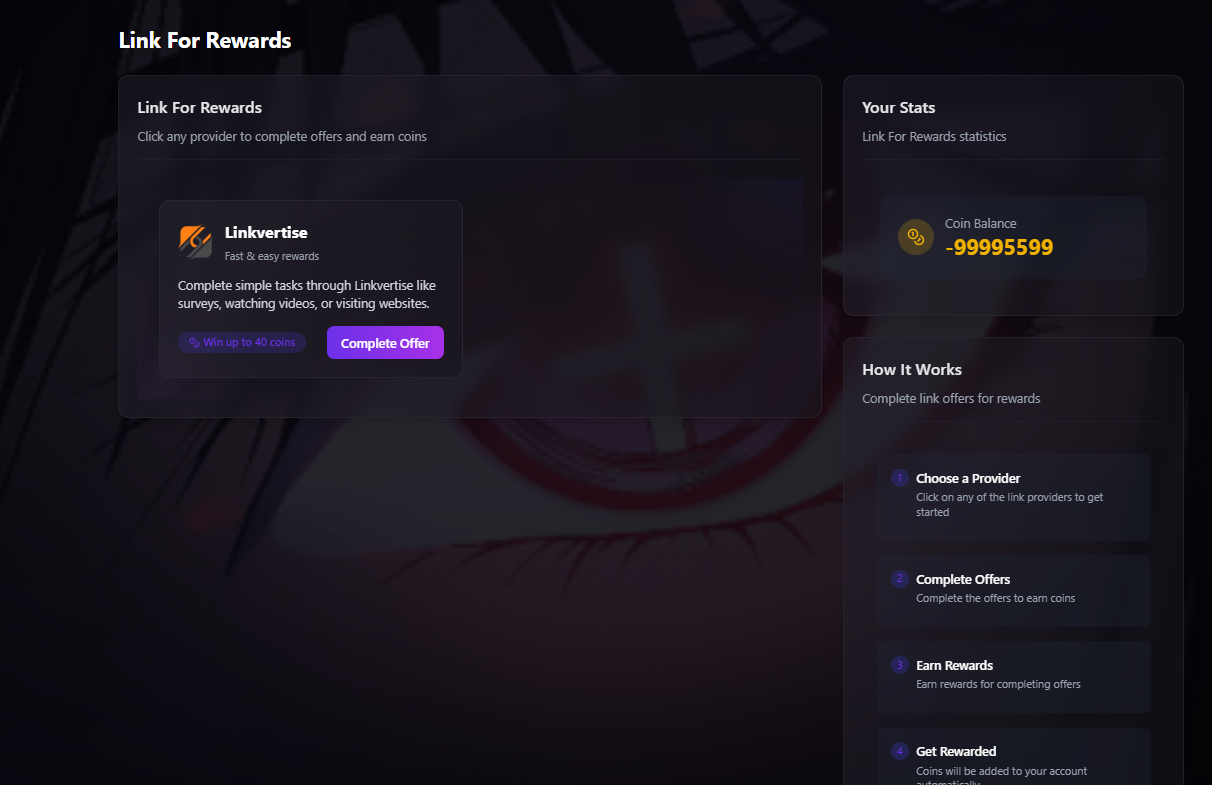
The primary way to earn coins is by completing simple tasks through our offer providers. You can find these in the "Earn" section of the dashboard sidebar.
Clicking this will take you to a page where you can choose an offer provider, such as Linkvertise. Simply follow their instructions to complete the task (like watching a video or visiting a website) to earn your coin reward.
- Cooldown: There is a 1-hour cooldown period after completing a task before you can earn from it again.
- Variable Rewards: The number of coins you receive per task can change at any time without announcement.
- No Bypassing: Any attempts to bypass the offer links (e.g., using a script or completing it too quickly) will be automatically detected, and you will not receive any coins.
Spending Coins in the Store
You can spend your hard-earned coins in the dashboard Store to upgrade your free game servers. Navigate to the store by clicking the "Store" button in the sidebar.
In the store, you can purchase the following upgrades. Note that prices are subject to change without notice.
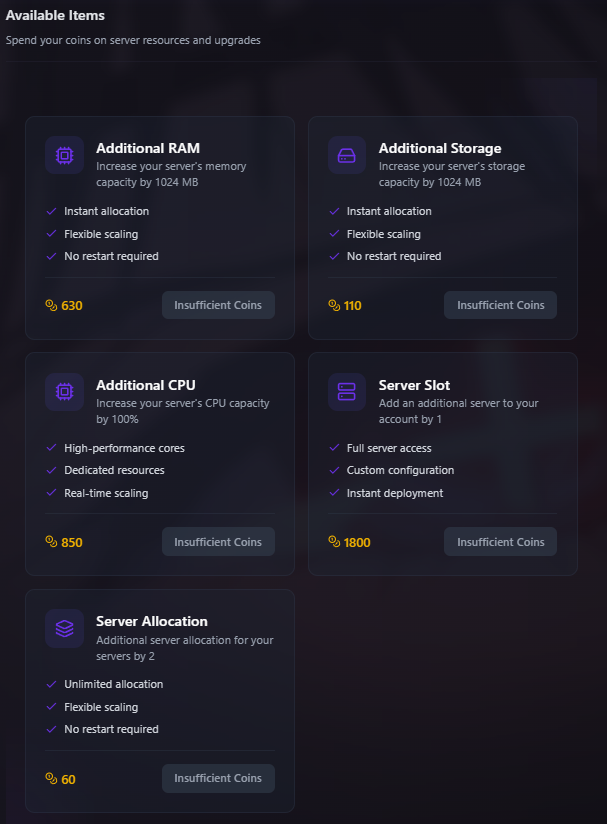
- Additional RAM: Each purchase increases your server's memory capacity by 1024 MB (1 GB).
- Additional Storage: Each purchase increases your server's disk space by 1024 MB (1 GB).
- Additional CPU: Each purchase increases your server's CPU capacity by 100%.
- Server Slot: Allows you to create one additional server under your account.
- Server Allocation: Gives you an extra network port and IP allocation for your server.
- Coins can only be used to upgrade game servers (like Minecraft). They cannot be used to upgrade Bot Hosting or Web Hosting services.
- There is a maximum limit to the resources you can acquire for a free server via the store:
- Max RAM: 10 GB
- Max Storage: 50 GB
- Max CPU: 400%
- Max Server Slots: 2
- To exceed these limits, you must purchase a paid hosting plan.
The Leaderboard
The dashboard features a public leaderboard that tracks user coin balances. Periodically, we will announce a leaderboard competition.
At the end of an announced competition month, the top three users will win account credits that can be spent on any of our paid hosting plans.
- 1st Place: £20 in account credits.
- 2nd Place: £10 in account credits.
- 3rd Place: £5 in account credits.
Account Management & Security
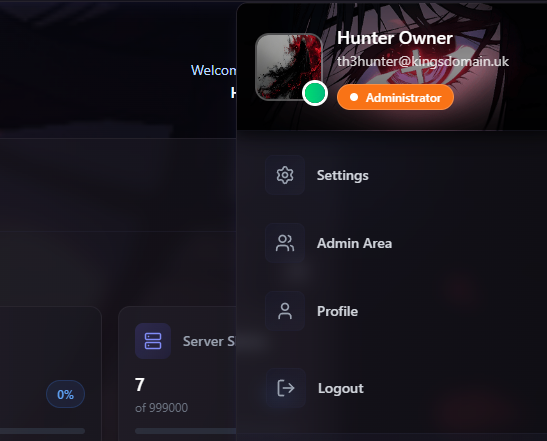
Your dashboard provides full control over your personal information and security settings. You can access these options by clicking on your profile avatar in the top right corner, then selecting "Settings" from the dropdown menu.
Profile Information
The main settings tab allows you to customize your public-facing profile and update your core account details.
Profile Information
Account Security
The "Security" tab is your hub for protecting your account from unauthorized access.
Account Security
Password
Active
Two-Factor Authentication
Disabled
Active Sessions
1 Active
- Change Password: Allows you to update your current password.
- Enable 2FA: We strongly recommend enabling Two-Factor Authentication. This adds an extra layer of security by requiring a code from an authenticator app on your phone to log in.
- Logout All Devices: If you suspect your account has been compromised, use this feature to immediately log out of every device currently signed in to your account.
Support Pin & Account Recovery
Your Support Pin is a unique code found in your account settings. When you contact our support team, providing this pin allows us to quickly verify that you are the legitimate owner of the account, speeding up the support process significantly.
We cannot help you recover your account if you lose access to it. For security reasons, if you forget your password and have also lost access to both your registered email and your Two-Factor Authentication device, our staff will not be able to restore your access.
- In this scenario, your only option is to register a new account.
- Please note that for security, an email address used on a previous account cannot be re-used for a new registration, even if the old account is deleted.
- Accounts that remain inactive for an extended period are subject to suspension and eventual deletion.
API Keys
API (Application Programming Interface) keys are designed for advanced users and developers who wish to interact with their King's Domain account programmatically, without using the web dashboard.
With an API key, you can build your own scripts or applications to automate tasks. Common use cases include:
- Creating a custom tool to automatically restart your servers on a schedule.
- Developing a Discord bot that can display your server's status or player count.
- Integrating our services into your own custom-built management panel.
You can find comprehensive documentation for our API, including all available endpoints and instructions, on Postman. This will provide everything you need to get started with your custom integrations.
View API Docs on Postman →Referral System
Our user referral system is currently turned off while we work on improving it. Please check back here or in our Discord server for announcements about when this feature will become available again.